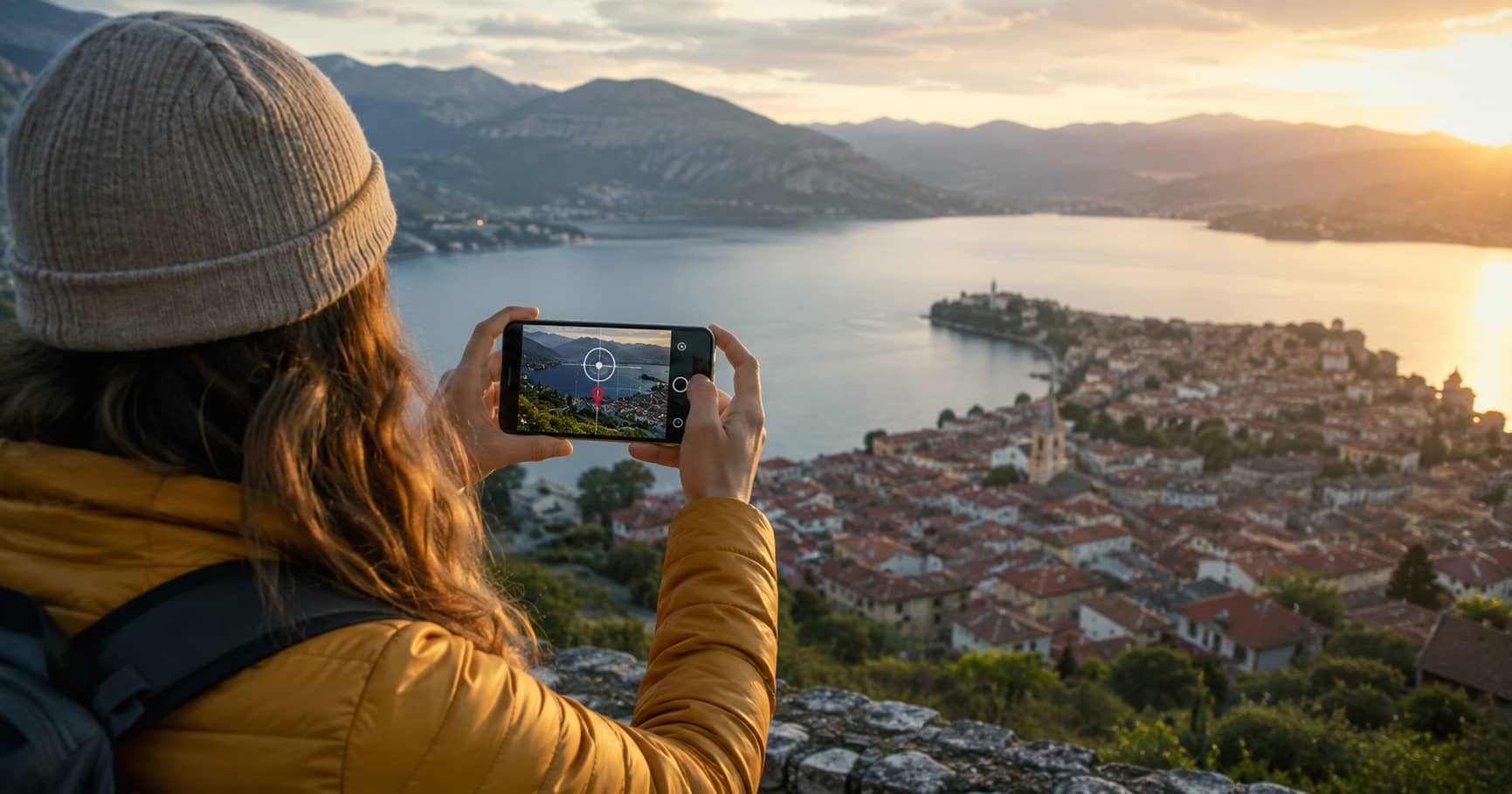
Geotagged Photography: How Location Data Connects Images to Maps
A practical guide to geotagged photography, including how location data is added to images and used in maps, navigation, and photo organization.
A practical guide to geotagged photography, including how location data is added to images and used in maps, navigation, and photo organization.
Geotagged photography links an image to a geographic location. A geotag usually contains latitude and longitude, but it may also include altitude, capture time, camera direction, positioning accuracy, and descriptive place information.
This location data allows a photo library, map, travel journal, field survey, or navigation system to answer a basic question: where was this image taken?
The answer can support route planning, documentation, research, asset inspection, tourism, environmental monitoring, and personal photo organization. It can also create privacy and accuracy problems when coordinates are shared without review.
This guide explains what geotagged photographs contain, how geotags are created, how images are placed on maps, and how to use location metadata responsibly.
A geotag is location information associated with a digital file. In photography, the most common values are geographic latitude and longitude. Together, these coordinates identify a point on the Earth.
Many cameras and smartphones write coordinates into the image file’s metadata. JPEG files commonly store this information in EXIF metadata, while other workflows may use XMP metadata, a photo-management database, or a separate mapping file.
A typical geotagged photograph may contain:
Not every geotag includes all of these fields. A basic phone photo may contain coordinates only, while professional mapping imagery may include a much richer set of positioning and orientation data.
The simplest method is automatic geotagging. A smartphone or GPS-enabled camera estimates its position when the shutter is pressed and stores the coordinates with the image.
Phones may combine satellite positioning with Wi-Fi, mobile networks, motion sensors, and previously known locations. This can improve speed and reliability, particularly in urban areas or indoors, but the resulting coordinate is still an estimate.
Automatic geotagging is convenient because it requires little effort. It works well for personal photo organization, general travel records, and many mapping tasks where metre-level precision is sufficient.
A camera without GPS can still produce geotagged photographs. The photographer records a GPS track with a phone, handheld receiver, watch, or other device while taking pictures. Later, software matches each photograph’s capture time with the corresponding point in the track.
The software may interpolate a position between two GPS fixes. Accurate timing is therefore essential. Before starting, the photographer should synchronize the camera clock with the GPS device and note the correct time zone.
This method is widely used in hiking, cycling, field research, travel photography, and professional surveys because one track can geotag many photographs in a batch.
Photos can also be placed manually by selecting a point on a map or entering coordinates. Manual geotagging is useful for scanned photographs, images taken with unknown camera settings, or small collections where the photographer remembers the location.
The main weakness is precision. It is easy to tag the subject instead of the camera position or to select the centre of a town when the image was captured several kilometres away.
This is one of the most important concepts in geotagged photography. The coordinates normally describe where the camera was located, not necessarily the object visible in the image.
Consider a photograph of a castle taken from a viewpoint across a valley. Tagging the image at the castle may appear logical, but it loses information about the actual viewpoint. A person trying to recreate the photograph would be sent to the wrong place.
For map-based photo guides, scenic viewpoints, property inspections, and field records, the capture position should be stored accurately. The subject location can be recorded separately through keywords, captions, linked map features, or a dedicated field.
Mapping software reads the image coordinates and places a marker at that position. Selecting the marker can open the photograph, caption, date, author, or related information.
More advanced systems may display a direction cone showing where the camera was facing. Panoramic systems can connect nearby images so users move through a location visually. Time-based interfaces may group photographs by trip, day, route, or survey period.
Geotagged images can also be exported or referenced through geographic formats such as GPX, KML, GeoJSON, or mapping databases. The photograph itself does not have to contain every mapping attribute. A system may keep coordinates, captions, permissions, and relationships in an external record.
Location metadata makes large photo libraries easier to search. Users can browse images by country, city, park, route, or trip without manually labeling every file.
A mapped photo record can also recreate the sequence of a trip. This is useful when preparing a travel diary, remembering a viewpoint, or identifying where an unfamiliar image was captured.
Geotagged images add ground-level context to maps. They can show road entrances, path surfaces, landmarks, junctions, parking areas, signs, and building access points.
Navigation systems may use this imagery to provide previews or help users verify their position. A map marker becomes more informative when the user can see what the destination or decision point looks like.
Surveyors, engineers, utility teams, conservation workers, and property professionals use geotagged photographs as evidence of conditions at a known place and time.
A well-managed field image can document damage, maintenance needs, vegetation, construction progress, signage, erosion, or the location of an asset. The image becomes more useful when it includes a clear date, coordinates, direction, and written observation.
Repeated photographs from the same location can reveal changes in coastlines, glaciers, riverbanks, forests, habitats, and urban development. Reliable comparison requires consistent positioning, direction, framing, and timing.
For scientific work, ordinary phone coordinates may not provide enough precision. Researchers may need survey-grade positioning, control points, calibrated equipment, or a documented accuracy estimate.
Panoramic mapping uses many geolocated images to create a continuous visual representation of an area. Each panorama needs a capture position, and often a heading, pitch, roll, timestamp, and links to neighbouring panoramas.
This richer metadata allows a viewer to orient the image correctly and move between nearby positions. Without reliable location and orientation data, a collection of panoramas remains a photo gallery rather than a navigable map layer.
Accuracy varies. In open terrain with a clear view of the sky, a modern device may produce a useful location within several metres. In dense streets, forests, valleys, tunnels, or interiors, the error may become much larger.
Common causes of inaccurate geotags include:
Accuracy should match the intended use. A coordinate near the centre of a village may be acceptable for a holiday album but inadequate for locating a utility cover, archaeological feature, or narrow trail entrance.
Do not assume that embedded coordinates are correct simply because they exist. Verification is especially important before publishing a map or using the image for professional decisions.
A responsible map may use an approximate-area marker rather than an exact point when the available evidence is weak.
Coordinates are precise but difficult to read. Reverse geocoding converts latitude and longitude into human-readable information such as a street, town, region, or country.
The returned place name depends on the database, administrative boundaries, and the level of detail requested. A coordinate near a border may receive different labels from different services. Rural photographs may be assigned to the nearest settlement even when they are far outside it.
For this reason, place names generated automatically should be reviewed before publication. Coordinates and descriptive location text serve different purposes and should not be treated as identical.
A photograph can reveal more than its visible content. Embedded coordinates may disclose a private home, workplace, school, routine, or sensitive natural site.
Before sharing an image publicly, consider whether the location should remain precise. This is particularly important for photographs involving children, private residences, vulnerable people, rare wildlife, archaeological sites, and restricted infrastructure.
Depending on the situation, a safer approach may be to:
Removing a map pin from a website does not necessarily remove coordinates embedded inside the downloadable image file. Both the page data and the file metadata should be checked.
The real value of a geotag is not the coordinate alone. It is the connection between an image, a place, a time, a direction, and a purpose.
When those elements are accurate, a photograph can become a useful map record rather than an isolated picture. It can help someone find a trailhead, understand a street, document environmental change, inspect an asset, or return to the exact viewpoint where an image was made.
That usefulness depends on careful handling. Coordinates should be verified, uncertainty should be acknowledged, and sensitive locations should not be published by default. Geotagged photography works best when technical accuracy and responsible sharing receive equal attention.